
PDF · 20 pages · phone size
Phone PDF
All 20 cards in one file. Swipe through them in Files, Books, or any PDF app.
What each control on your camera does, one card each: the mode dial, exposure, focus, light, lenses, and files. Sized for your phone.
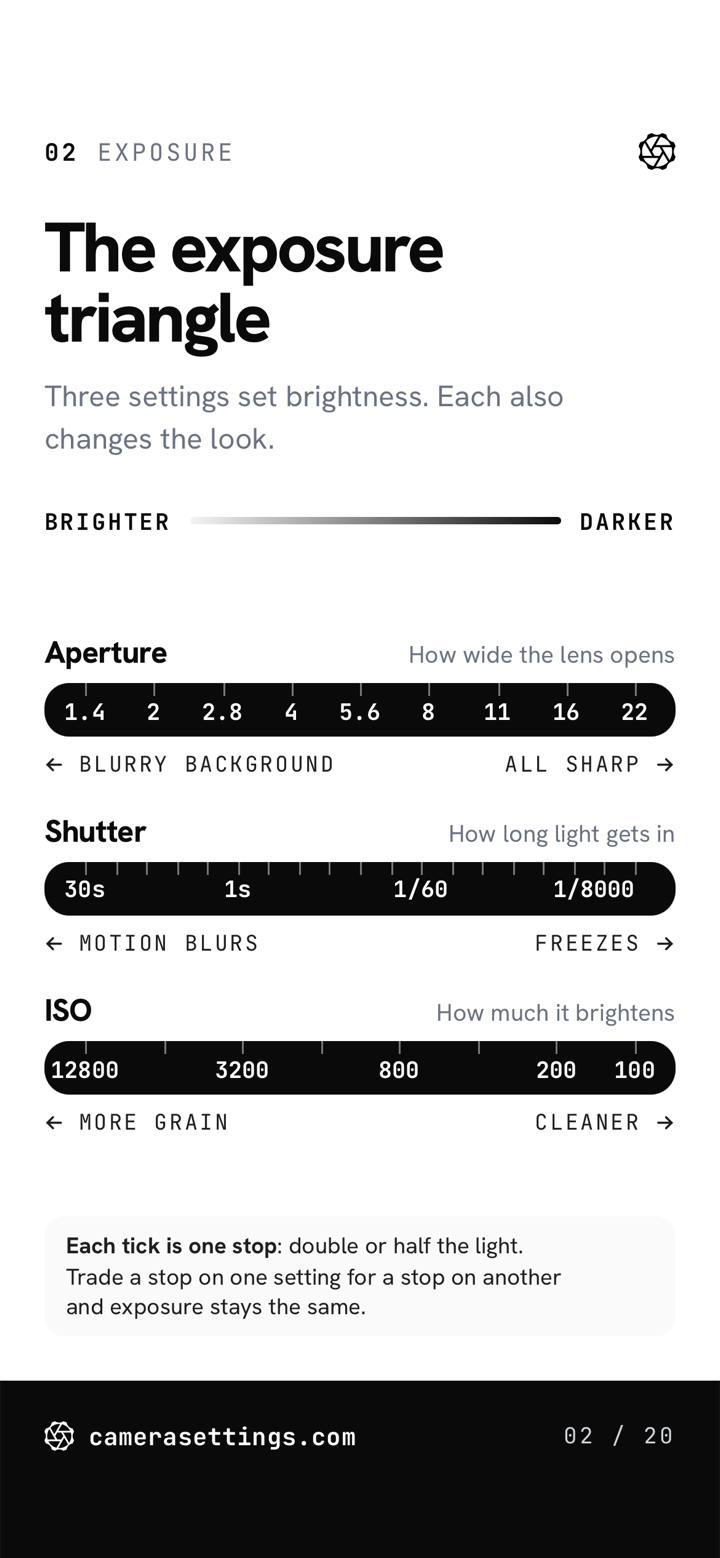
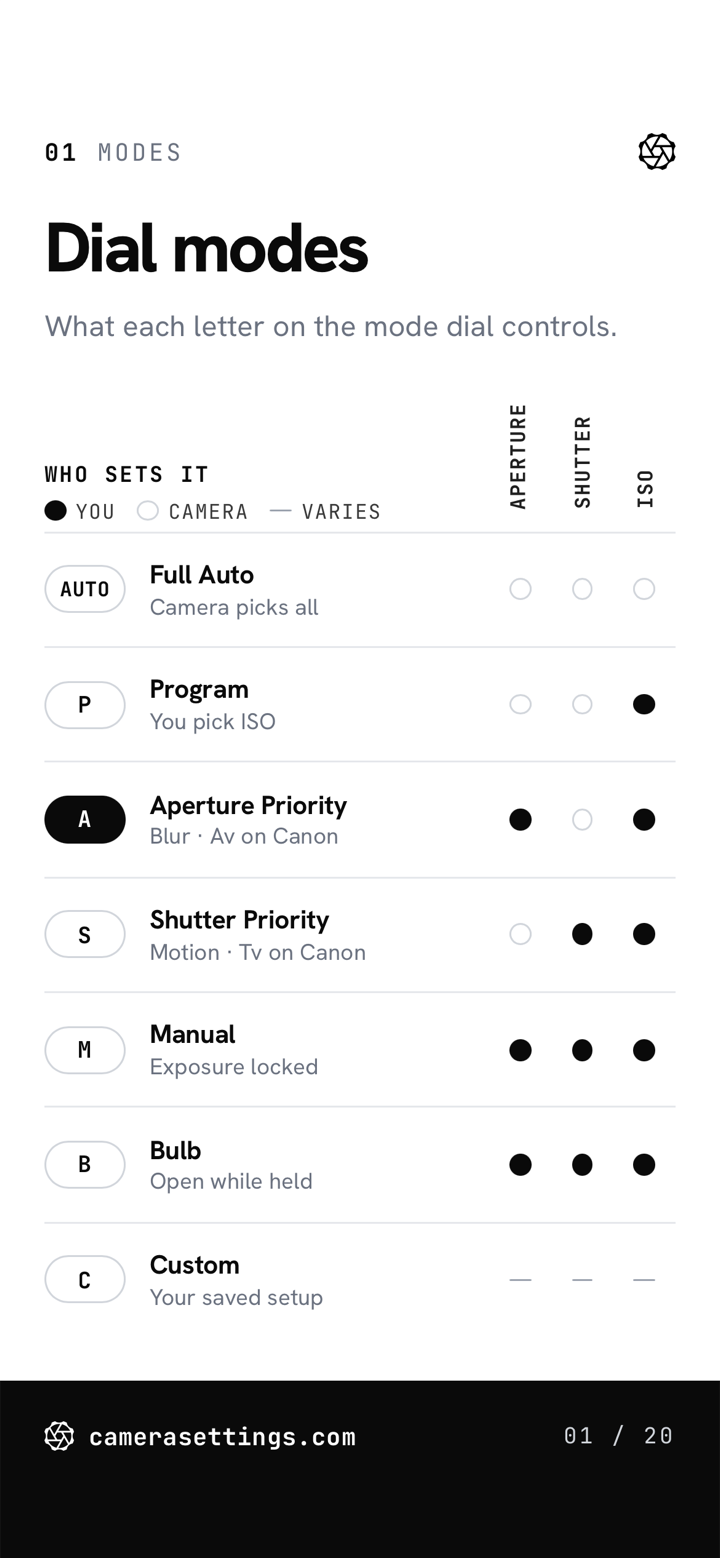
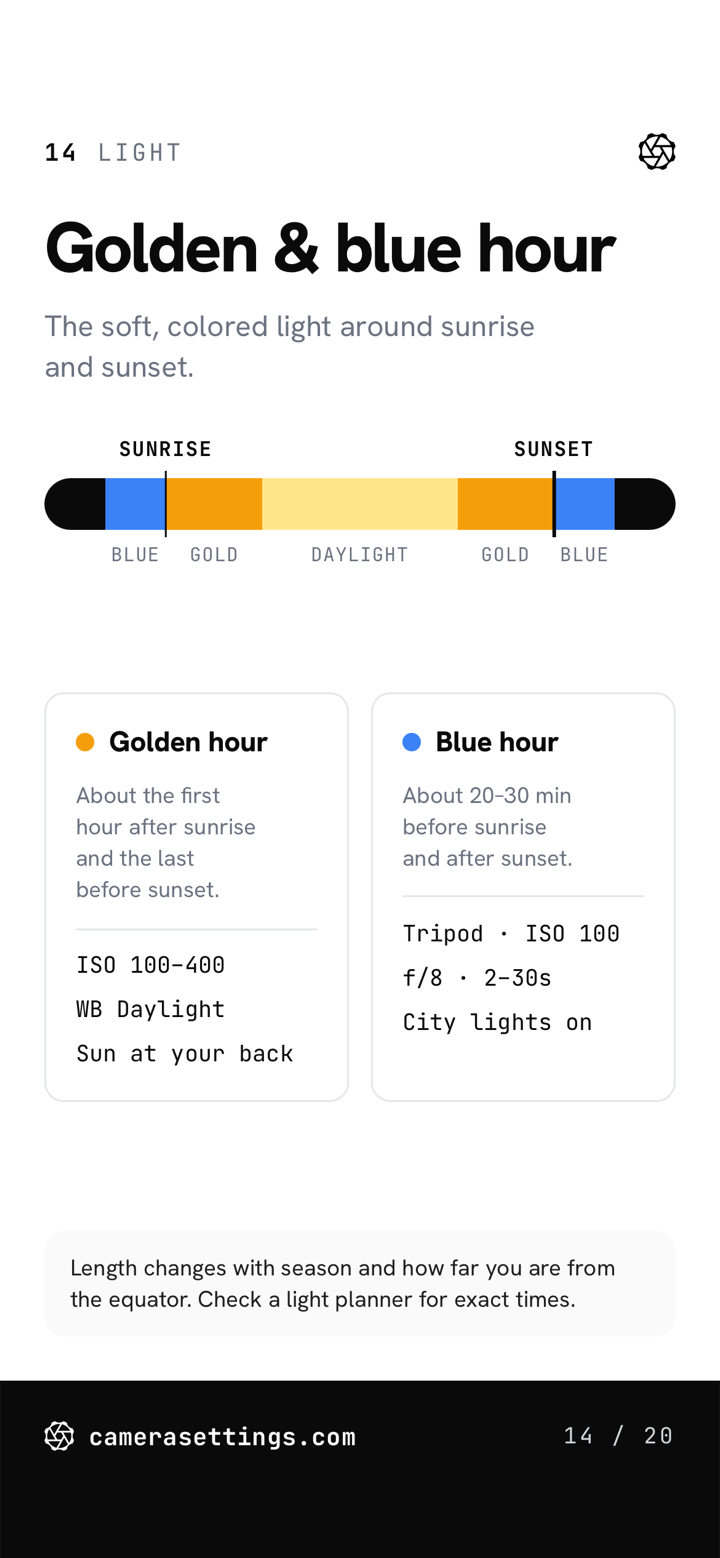
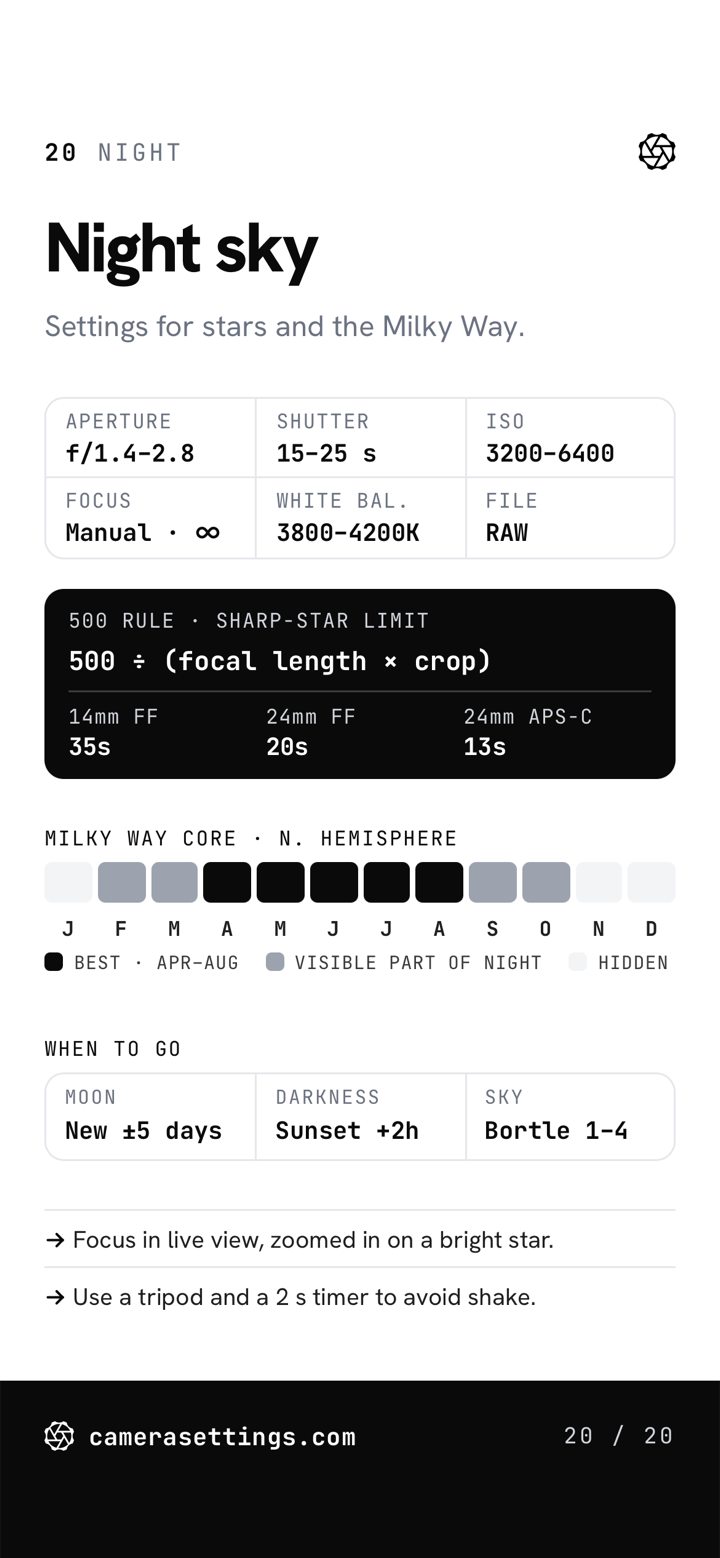
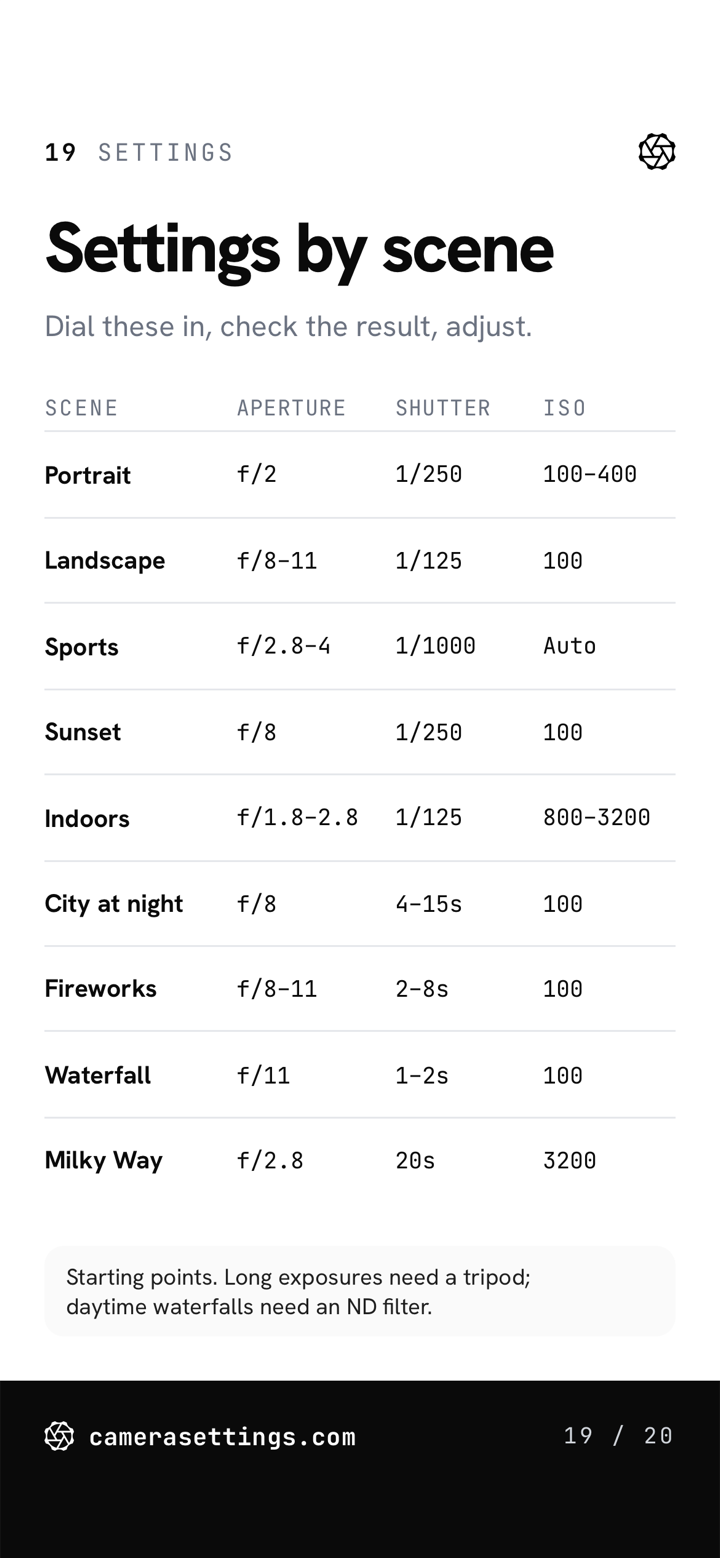
Each card answers one question about your camera, with a diagram or table you can read at a glance.
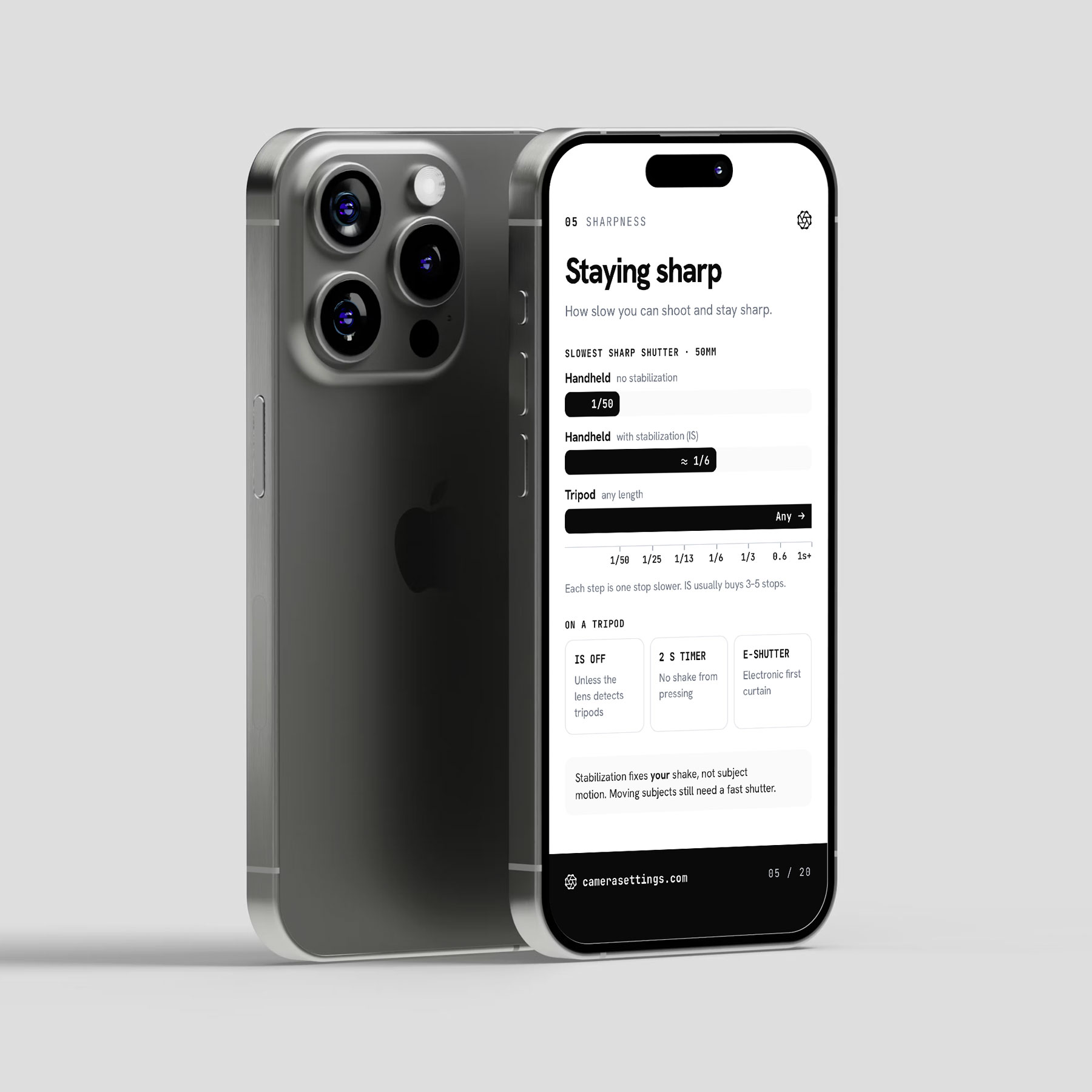
Not sure what A, S, and M do? Open the mode dial card. Shutter's getting slow and the shot is soft? Open the sharpness card. Leave the rest until you need them.
The title and the line under it say what the card answers: what each letter on the mode dial controls, or how slow you can shoot and stay sharp.
Scales, charts, and tables instead of paragraphs: shutter speeds from silky water to birds in flight, or white balance presets in Kelvin.
A rule of thumb or the exception to watch for, such as the handheld rule or why a bright scene comes out dull.
One PDF to swipe through, and every card as an image for your lock screen.
PDF · 20 pages · phone size
All 20 cards in one file. Swipe through them in Files, Books, or any PDF app.
PNG · 20 images · 1170 × 2532
Every card as a separate image. Save the one you need to Photos and set it as your lock screen before a shoot.
Grouped by what they cover. Sixteen have a full guide, tool, or settings page on this site, linked below.
Any DSLR or mirrorless works. If Canon names it differently, the card does too.
A PDF and lock-screen images. No app, no account, no connection.
Updated editions are sent to the address you bought with. Buy once.
$9. No fake sale, no timer, no daily sales emails.
Any camera with a mode dial and manual control: DSLR or mirrorless from any brand. The cards use the common names for each setting, such as Aperture Priority, AF-C, and Matrix metering, and give Canon's name where it differs.
The Field Guide gives starting settings for 36 scenarios, from portraits to aurora. Field Cards explain the controls those settings use: what each mode, focus mode, and metering mode does, and how aperture, shutter speed, and ISO trade off. If the settings themselves are new, start with the cards.
The free cheat sheets are printable one-page references. Field Cards cover 20 topics, one per card, sized for a phone, and every card comes as an image you can set as your lock screen.
No. The cards are designed for a phone screen. The PDF can be printed, but each card prints as a narrow page.
One ZIP file that expands to a folder with all 20 cards in one PDF sized for a phone, a folder of 20 card images (PNG, 1170 × 2532), and a short README. On an iPhone, tap the ZIP in Files to expand it.
When the cards change, a new edition is emailed free to the address used at purchase. The edition number is in the README.
Checkout runs on Kit, with card processing by Stripe. Card details never pass through this site. Prices are in US dollars. Apple Pay and Google Pay are available where supported.
Reply to your purchase receipt within 30 days and the purchase is refunded in full. Details are in the terms.
Instant download